

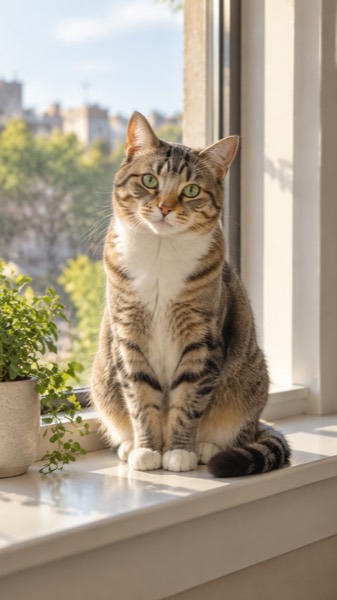

How to make a pet video from a photo
- Upload a clear photo (JPG, PNG or WebP). A face or body that fills a good part of the frame works best.
- Pick the pet motion — Pet, and the shape: 9:16 for TikTok and Reels, 16:9 for YouTube, 1:1 for feeds.
- Tick the box confirming you have the right to use the photo, then press Make my video.
- Wait about a minute. Play it, download the MP4, or share a link.
Best pet photos
- Eye-level photos where the pet looks toward the camera.
- The whole head visible; for wagging, include the tail.
- Daylight beats flash — flash eyes stay glowing in the video.
- One animal per photo gives the most natural motion.
Sizes, lengths and quality
| Setting | Free | With credits |
|---|---|---|
| Length | 5 seconds | 5 or 10 seconds |
| Shape | 9:16, 16:9 or 1:1 | 9:16, 16:9 or 1:1 |
| Quality | Standard 480p | Standard, HD 720p or Max 720p (premium model) |
| Watermark | Small corner mark | None |
| Cost | 5 credits (free daily credits cover 2) | 5–40 credits |
Every video downloads as an H.264 MP4 that plays on iPhone, Android, TikTok, Instagram Reels, YouTube Shorts and WhatsApp.
MoveFrame vs other free image-to-video sites
Checked on 18 October 2026 on each site's own homepage and pricing page, logged out. Prices change — check before you buy.
| MoveFrame | ZSky AI | Flux AI | Kling AI | |
|---|---|---|---|---|
| Make a video without an account | Yes — 10 free credits a day | Free tier | 40 credits after sign-up | Sign-up required |
| Ready-made motions (dance, hug, old photo, pet, baby) | Yes, one tap | Prompt only | Prompt only | Effects library after sign-in |
| Pay once, no subscription | Yes, from $9.90, valid 12 months | Monthly plans ($19+) | Packs from $9.99, valid 100 days | Subscription or credit top-ups |
| Failed or blocked video refunded | Automatically | Not stated | Not stated | Not stated |
| Upscale your own clip | Yes, up to 30 s, free to 720p | No | No | No |
| Blocks explicit content and photos of minors | Yes, before any credit is spent | 18+ terms | Not stated on homepage | Yes |
Frequently asked questions
Is it really free?
Yes. You get 10 free credits every day — enough for 2 five-second videos — with no account and no card. Free videos are Standard quality with a small watermark. Credit packs start at $9.90 for 100 credits (valid 12 months, no subscription); Pro is $9.90/month for 120 credits.
Does it work with cats?
Yes — cats, dogs, rabbits, hamsters, birds and horses all work. The motion is chosen to suit the animal in the photo.
Can I make a memorial video of a pet that died?
Yes. Many people animate a favourite photo of a pet they miss. Pick 1:1 or 9:16 and download the MP4 to keep.
How long does it take?
Most 5-second videos are ready in 40–90 seconds. 10-second and Max quality videos can take up to 3 minutes. You can keep using the page while it works.
What if the video fails or my photo is rejected?
Credits come back automatically. A photo that fails the safety check is rejected before any credit is spent, and a video that fails during generation is refunded in full.