


How to make an AI wedding video from photos
- Select the Wedding motion.
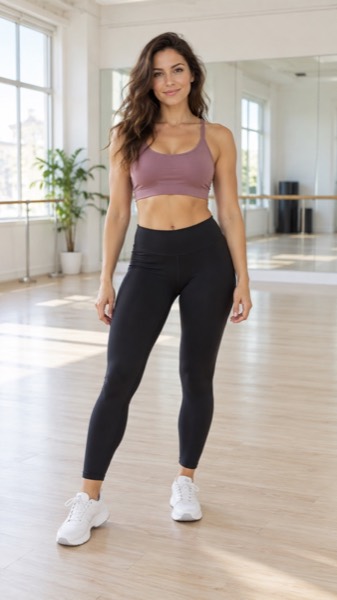
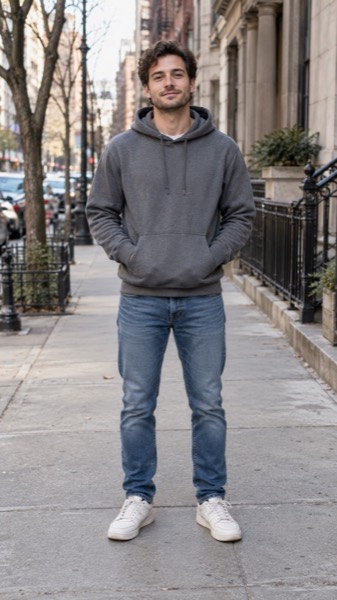
- Upload a photo of the first partner, then the second. Clear, front-facing upper-body photos work best.
- Tick the consent box — both people must agree to the video.
- Press Make my video and download the MP4 in about a minute.
Good uses
- A save-the-date or engagement announcement clip.
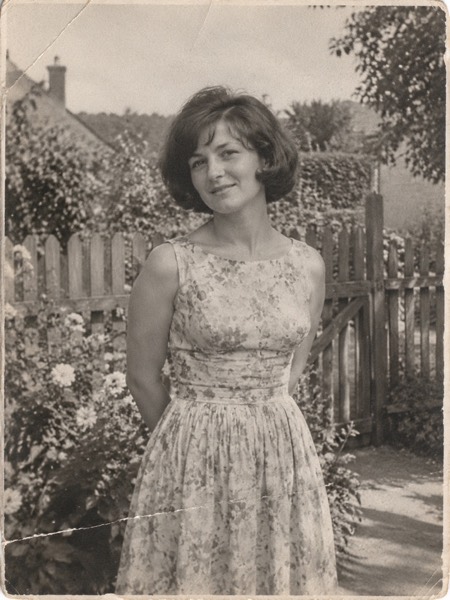
- An anniversary surprise from two old photos — see the vintage example above.
- An opener for the wedding slideshow or the reception screen.
- A "we eloped" post for family who couldn't be there.
Both people must be adults who agree to the video. We refuse public figures, so no one can fake a celebrity wedding.
Tips for a seamless scene
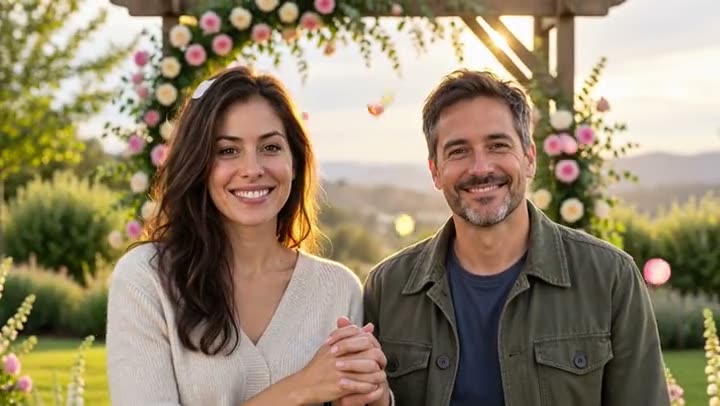
The two photos are placed side by side and blended into one scene. Photos taken at a similar distance and light (both outdoors, both upper-body) blend best. Old prints sometimes stay as two frames that reach across to each other, as in the vintage example — still a lovely anniversary clip; a second try often blends them.
MoveFrame vs Pollo AI and Magic Hour for wedding videos
Checked on 18 October 2026 on each site's own pages, logged out. Features and prices change — check before you buy.
| MoveFrame | Pollo AI | Magic Hour | |
|---|---|---|---|
| A ready-made wedding motion | Yes, one tap, from your own photo | "Wedding Vow Story Video" app (sign-in first) | No dedicated wedding template found |
| Upload a photo without an account | Yes — 2 free 5-second videos a day | Sign-in before upload | Free plan with starter credits |
| Cheapest paid option | $9.90 once, valid 12 months | See pollo.ai/pricing | Creator $19/month; packs from $10 |
| Failed video refunded | Automatically | Not stated | Not stated on the pricing page |
| Real before/after results on the page | Yes, 3 unedited clips above | Sample clips | Template preview |
MoveFrame is independent and not affiliated with Pollo AI or Magic Hour. Their names are trademarks of their owners.
Sizes, lengths and quality
| Setting | Free | With credits |
|---|---|---|
| Length | 5 seconds | 5 or 10 seconds |
| Shape | 9:16, 16:9 or 1:1 | 9:16, 16:9 or 1:1 |
| Quality | Standard 480p | Standard, HD 720p or Max 720p (premium model) |
| Watermark | Small corner mark | None |
| Cost | 5 credits (free daily credits cover 2) | 5–40 credits |
Every video downloads as an H.264 MP4 that plays on iPhone, Android, TikTok, Instagram Reels, YouTube Shorts and WhatsApp.
What MoveFrame will not make
Every photo is checked before anything is generated. If a check fails, nothing is charged.
- No nudity or sexual content, and no "uncensored" mode.
- No videos of children from uploaded photos. The baby template invents a fictional baby; it never animates a real child's photo.
- No celebrities, politicians or other public figures, and no face swap.
- Hug and baby templates ask you to confirm that both adults in the photos agree.
- Free videos carry a small watermark, and every video is labelled as AI-generated in its file data.
- See something wrong? Every video page has a Report link. We take reported videos down and answer within 48 hours.
Frequently asked questions
Is it really free?
Yes. You get 10 free credits every day — enough for 2 five-second videos — with no account and no card. Free videos are Standard quality with a small watermark. Credit packs start at $9.90 for 100 credits (valid 12 months, no subscription); Pro is $9.90/month for 120 credits.
Can I use a photo of a partner who passed away?
Yes, if you are their spouse or family. Many people use the vintage example's approach for an anniversary tribute.
Can I make a wedding video with a celebrity?
No. Public figures are rejected, and both people must agree to the video.
Can I pick the venue or outfits?
Type a short direction in the tool, such as "beach wedding at sunset" or "winter chapel". The default is a sunny garden with a flower arch.
How long does it take?
Most 5-second videos are ready in 40–90 seconds. 10-second and Max quality videos can take up to 3 minutes. You can keep using the page while it works.
What if the video fails or my photo is rejected?
Credits come back automatically. A photo that fails the safety check is rejected before any credit is spent, and a video that fails during generation is refunded in full.