



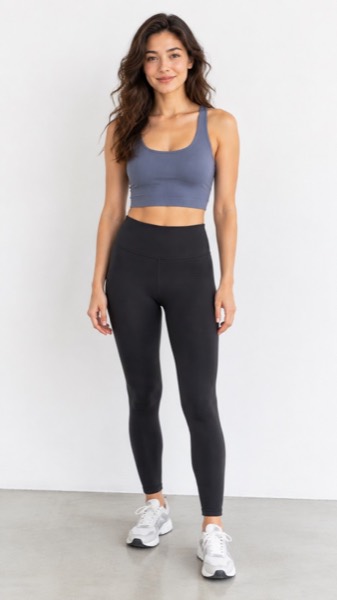

How to make a motion video from a photo
- Upload a clear photo (JPG, PNG or WebP). A face or body that fills a good part of the frame works best.
- Pick a motion — Standard and HD use Seedance 1.5 Pro; Max uses Kling 3.0, and the shape: 9:16 for TikTok and Reels, 16:9 for YouTube, 1:1 for feeds.
- Tick the box confirming you have the right to use the photo, then press Make my video.
- Wait about a minute. Play it, download the MP4, or share a link.
The test: one prompt, three models
Prompt, word for word: “A street musician plays a soft saxophone solo under a flickering neon sign in a narrow alley on a rainy night. A ginger cat walks in, sits down in a puddle's reflection and looks up at him. The camera slowly pushes in. Sound: rain on metal awnings, the saxophone melody, distant traffic, one short meow at the end.”
Settings for every model: text to video, 8 seconds, 16:9, sound on, one attempt each, run through the OpenRouter video API. The clips below are the first result each model returned, re-encoded to 480p so the page loads fast.
Gemini Omni 1.2 Flash: three attempts (720p 8 s twice, 360p 4 s once) all ended with “Video generation failed” and no charge. Sound cannot be turned off on this model, so we could not test it silent either. Google's own sample clips are in its 5 November announcement on blog.google (“Introducing Gemini Omni 1.2 Flash”). We will add a real clip as soon as the API returns one.
Results at a glance
| Seedance 2.5 | Kling 3.0 Standard | Gemini Omni 1.2 Flash | |
|---|---|---|---|
| Clip in our test | Yes | Yes | Failed 3 of 3 |
| Mood (night, neon, rain) | Best | Daylight-ish, no rain feel | — |
| Follows the action | Cat sits, no push-in | Push-in and puddle shot | — |
| Text in the scene | None | Garbled neon letters | — |
| Sound | Yes, generated with the video | Yes, generated with the video | Always on (cannot be turned off) |
| Wait for 8 s | 2 min 14 s | 2 min 14 s | — |
| Our cost for 8 s | $0.83 (480p) | $1.01 | $0.56 at Google's list price ($0.07/s, 720p) |
| Longest clip | — | — | 15 s (Google) |
Costs are what the API actually charged for each clip (usage cost per request), not estimates. The Gemini Omni figure is Google's published 720p price, because no clip was billed.
Which one should you pick?
| If you want… | Pick | Why |
|---|---|---|
| Atmosphere and lighting that match your words | Seedance 2.5 | It got the night, neon and rain right on the first try. |
| Camera moves and actions done exactly as written | Kling 3.0 | It was the only one to do the push-in and the reflection shot. |
| Longer clips and editing by chat | Gemini Omni 1.2 Flash | Up to 15 s and conversational edits, per Google, once the API is reliable. |
| Your own photo to move, no prompt, no account | MoveFrame | One tap on a motion; the first video is free. |
Kling 4.0 (October 2026) adds 30-second clips and stereo sound, but its API was not open to us on 6 November, so it is not in this test. We will run the same prompt on it when it is.
Where MoveFrame fits
These three are text-to-video models you write prompts for. MoveFrame starts from a photo you already have: upload it, tap a motion such as dance, hug, smile or walk, and get a 5- or 10-second MP4 in about a minute. Standard and HD videos run Seedance 1.5 Pro, and Max runs Kling 3.0 — see the Seedance and Kling pages below for how each is used here.
MoveFrame is independent and not affiliated with Google, ByteDance or Kuaishou. Gemini, Seedance and Kling are trademarks of their owners.
What it costs
The tool is at the top of this page: upload a photo and your first video is free, no account and no card. Here is what you pay if you want more.
| Price | What you get | |
|---|---|---|
| Free | $0 | Your first video: Standard quality, 5 seconds, no watermark. More free daily credits depend on your region and how busy we are. |
| Pro | $9.90/month | 120 credits a month (about 24 videos), no watermark, HD and 10-second videos, cancel any time |
| Pro, yearly | $82.90/year | $6.91/month, you save $35.90; the 120 credits still arrive every month |
| Max | $29.90/month | 400 credits a month (about 80 videos); same features as Pro, more credits |
| Credit pack | From $9.90 once | 100 credits, valid 12 months, no subscription |
Failed or blocked videos are refunded automatically, and any payment can be refunded within 7 days.
Frequently asked questions
Is Gemini Omni better than Seedance or Kling?
We cannot say yet: Gemini Omni 1.2 Flash failed all three of our API attempts on 6 November 2026. On paper it makes longer clips (up to 15 s) and costs $0.07 per second at 720p, less than the $0.10–0.13 per second we paid for Seedance 2.5 and Kling 3.0.
Which model followed the prompt best?
Kling 3.0 followed the actions most literally (push-in, cat in the puddle's reflection); Seedance 2.5 matched the mood best (night, neon, rain). Neither was perfect: Kling's neon sign had garbled letters and Seedance skipped the camera move.
Do these models make sound?
Yes. Seedance 2.5 and Kling 3.0 both returned clips with sound generated with the video. Gemini Omni 1.2 Flash always generates sound and does not let you turn it off.
Why is Kling 4.0 not in the test?
Its API was not open to us on 6 November 2026, so we tested Kling 3.0 Standard, the version MoveFrame uses for Max videos. We will add Kling 4.0 with the same prompt when we can call it.
Can I use these models on my own photo without writing a prompt?
On MoveFrame, yes: upload a photo, tap a motion and the video is made with Seedance 1.5 Pro (Standard and HD) or Kling 3.0 (Max). Your first video is free, with no account.
Is it really free?
Your first video is free, with no account and no card: Standard quality, 5 seconds, no watermark. After that, free daily credits (5 a day where available) depend on your region and how busy we are. To keep going, Pro is $9.90/month for 120 credits (about 24 videos), or a credit pack starts at $9.90 with no subscription.