



How to make a motion video from a photo
- Upload a clear photo (JPG, PNG or WebP). A face or body that fills a good part of the frame works best.
- Pick a motion, and the shape: 9:16 for TikTok and Reels, 16:9 for YouTube, 1:1 for feeds.
- Tick the box confirming you have the right to use the photo, then press Make my video.
- Wait about a minute. Play it, download the MP4, or share a link.
Two different sites are called “EveryGen”
Checked on 7 November 2026 on each site's own homepage and pricing page, logged out.
- Everygen (everygen.ai), formerly Viewmax — a studio for Shorts, UGC and ads with many video models (Seedance, Kling, Gemini Omni and more). Its pricing page says you need a plan: Starter is $24 a month, or $9 a month billed yearly.
- EveryGen (everygen-ai.com) — a separate creative studio with video, image and audio tools. It starts you with 10 free credits, then monthly or yearly plans (Lite from $8.25 a month billed yearly) or credit top-ups; its pricing page says purchases are generally non-refundable.
MoveFrame does one job: turn a photo into a short video, with no account to make your first one.
MoveFrame and EveryGen side by side
Checked on 7 November 2026 from everygen.ai and everygen-ai.com. Prices change — check before you buy.
| MoveFrame | Everygen (everygen.ai) | EveryGen (everygen-ai.com) | |
|---|---|---|---|
| Built for | Making one photo move | Shorts, UGC and ad campaigns | Multi-tool creative studio |
| Make a video without an account | Yes — your first AI video | No — plan required | Sign in to claim free credits |
| Free use | First AI video free (5 s, 480p, no watermark), then unlimited on-device motion videos | None stated | 10 free credits to start |
| Paying | Pay once, from $9.90 for 100 credits, valid 12 months | Plans from $9/month billed yearly ($24 month to month) | Plans from $8.25/month billed yearly, or top-ups |
| Refunds | Any payment within 7 days; failed videos refunded automatically | See its terms | Generally non-refundable |
| How you ask for motion | One-tap motions tested on faces, or type a scene | Prompts, models and templates | Prompts, models and templates |
Pick Everygen if you run ad campaigns or post Shorts every day and want many models in one place. Pick MoveFrame if you have one photo and want it to move today, without a plan.
MoveFrame is independent and not affiliated with Everygen, Viewmax or EveryGen LLC. EveryGen and Everygen are trademarks of their owners.
What people make instead
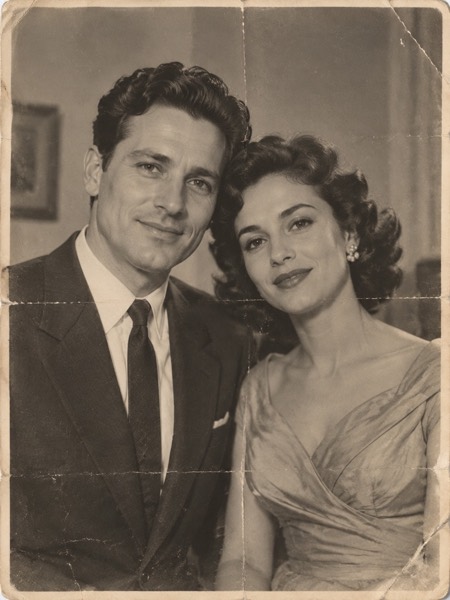
- An old family photo that blinks, smiles and looks around.
- Two people hugging from two photos (both adults who agree to it).
- A portrait that turns, laughs or dances.
- A pet that wags, tilts its head or dances.
- A short scene from a typed prompt.
Every clip is 9:16, 1:1 or 16:9 and ready for TikTok, Reels and Shorts.
Sizes, lengths and quality
| Setting | Free | With credits |
|---|---|---|
| Length | 5 seconds | 5 or 10 seconds |
| Shape | 9:16, 16:9 or 1:1 | 9:16, 16:9 or 1:1 |
| Quality | Standard 480p | Standard, HD 720p or Max 720p (premium model) |
| Watermark | None on your free video | None |
| Cost | 5 credits (your free video covers it) | 5–40 credits |
Every video downloads as an H.264 MP4 that plays on iPhone, Android, TikTok, Instagram Reels, YouTube Shorts and WhatsApp.
MoveFrame vs other free image-to-video sites
Checked on 18 October 2026 on each site's own homepage and pricing page, logged out. Prices change — check before you buy.
| MoveFrame | ZSky AI | Flux AI | Kling AI | |
|---|---|---|---|---|
| Make a video without an account | Yes — first video free | Free tier | 40 credits after sign-up | Sign-up required |
| Ready-made motions (dance, hug, old photo, pet, baby) | Yes, one tap | Prompt only | Prompt only | Effects library after sign-in |
| Pay once, no subscription | Yes, from $9.90, valid 12 months | Monthly plans ($19+) | Packs from $9.99, valid 100 days | Subscription or credit top-ups |
| Failed or blocked video refunded | Automatically | Not stated | Not stated | Not stated |
| Upscale your own clip | Yes, up to 30 s, free to 720p | No | No | No |
| Blocks explicit content and photos of minors | Yes, before any credit is spent | 18+ terms | Not stated on homepage | Yes |
What MoveFrame will not make
Every photo is checked before anything is generated. If a check fails, nothing is charged.
- No nudity or sexual content, and no "uncensored" mode.
- Family photos with little ones are fine on everyday templates; couple, wedding and baby-prediction templates are adults-only, and nothing suggestive is ever made with anyone under 18.
- No celebrities, politicians or other public figures, and no face swap.
- Hug, kiss and baby templates ask you to confirm that both adults in the photos agree.
- Your free video has no watermark, and every video is labelled as AI-generated in its file data.
- See something wrong? Every video page has a Report link. We take reported videos down and answer within 48 hours.
Frequently asked questions
Is there a free EveryGen AI alternative?
Yes. On MoveFrame your first AI video is free with no account, email or card — 5 seconds, 480p, no watermark. Paid videos never carry a watermark.
Do I need a subscription?
No. MoveFrame sells pay-once credit packs from $9.90 (100 credits, valid 12 months). A 5-second Standard video costs 5 credits. Pro ($9.90/month) is optional.
Is everygen.ai the same as everygen-ai.com?
No. Everygen at everygen.ai (formerly Viewmax) and EveryGen at everygen-ai.com are different products with different plans. MoveFrame is not connected to either.
Which AI model does MoveFrame use?
Standard (480p) and HD (720p) videos are made with ByteDance's Seedance 1.5 Pro model; Max quality uses a premium model.
Is it really free?
Your first video is free, with no account and no card: Standard quality, 5 seconds, no watermark. In many regions you also get one free video a day, depending on how busy we are. To keep going, Pro is $9.90/month for 120 credits (about 24 videos), or a credit pack starts at $9.90 with no subscription.
What if the video fails or my photo is rejected?
Credits come back automatically. A photo that fails the safety check is rejected before any credit is spent, and a video that fails during generation is refunded in full.
What happens to my photos?
Photos are stored privately, used only to make your video, and deleted after 24 hours. Videos are kept for 30 days so you can download them, then deleted. They are private unless you share the link or enter the daily challenge. We never use your photos to train AI models.