



How to make a motion video from a photo
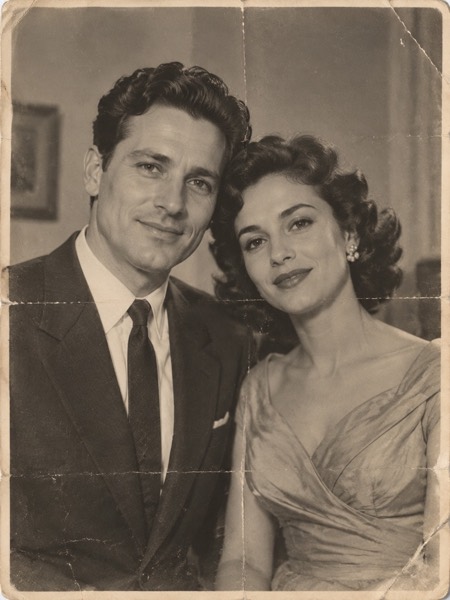
- Upload a clear photo (JPG, PNG or WebP). A face or body that fills a good part of the frame works best.
- Pick a motion, and the shape: 9:16 for TikTok and Reels, 16:9 for YouTube, 1:1 for feeds.
- Tick the box confirming you have the right to use the photo, then press Make my video.
- Wait about a minute. Play it, download the MP4, or share a link.
Every step, and whether it needs an account
| Step | Account? | Cost |
|---|---|---|
| Upload a photo and pick a motion | No | Free |
| Make your first AI video (5 s, 480p) | No | Free, no watermark |
| Download the MP4 | No | Free |
| Photo-motion videos made on your device | No | Free, unlimited, small mark |
| More AI videos, HD, 10 s or sound | Google sign-in at checkout | Credits from $9.90, or Pro $9.90/month |
Your first free video is counted per person and network, not per account, so there is nothing to gain by making one — and nothing is asked of you. If the day's free capacity is used up, the page says so before you spend anything.
What "no sign up" sites usually hide
- Sign up to download: here the free MP4 downloads straight away.
- Email for the result: not needed — the video appears on the page.
- A card for a "free trial": never asked for the free video.
- A watermark on the free clip: none on your free AI video.
Want the free, unlimited part explained? See image to video AI free unlimited (moveframe.app/image-to-video-ai-free-unlimited). Coming from Perchance? See the Perchance AI video generator alternative (moveframe.app/perchance-ai-video-generator-alternative).
Sizes, lengths and quality
| Setting | Free | With credits |
|---|---|---|
| Length | 5 seconds | 5 or 10 seconds |
| Shape | 9:16, 16:9 or 1:1 | 9:16, 16:9 or 1:1 |
| Quality | Standard 480p | Standard, HD 720p or Max 720p (premium model) |
| Watermark | None on your daily free video | None |
| Cost | 5 credits (free daily credits cover 1) | 5–40 credits |
Every video downloads as an H.264 MP4 that plays on iPhone, Android, TikTok, Instagram Reels, YouTube Shorts and WhatsApp.
What it costs
The tool is at the top of this page: upload a photo and your first video is free, no account and no card. Here is what you pay if you want more.
| Price | What you get | |
|---|---|---|
| Free | $0 | Your first video: Standard quality, 5 seconds, no watermark. More free daily credits depend on your region and how busy we are. |
| Pro | $9.90/month | 120 credits a month (about 24 videos), no watermark, HD and 10-second videos, cancel any time |
| Pro, yearly | $82.90/year | $6.91/month, you save $35.90; the 120 credits still arrive every month |
| Max | $29.90/month | 400 credits a month (about 80 videos); same features as Pro, more credits |
| Credit pack | From $9.90 once | 100 credits, valid 12 months, no subscription |
Failed or blocked videos are refunded automatically, and any payment can be refunded within 7 days.
What MoveFrame will not make
Every photo is checked before anything is generated. If a check fails, nothing is charged.
- No nudity or sexual content, and no "uncensored" mode.
- No videos of children from uploaded photos. The baby template invents a fictional baby; it never animates a real child's photo.
- No celebrities, politicians or other public figures, and no face swap.
- Hug and baby templates ask you to confirm that both adults in the photos agree.
- Your daily free video has no watermark, and every video is labelled as AI-generated in its file data.
- See something wrong? Every video page has a Report link. We take reported videos down and answer within 48 hours.
Frequently asked questions
Do I need to sign up to make a free AI video?
No. Upload a photo, press Make my video and download the MP4. You only sign in with Google if you buy credits or Pro.
Is it really free?
Your first video is free, with no account and no card: Standard quality, 5 seconds, no watermark. After that, free daily credits (5 a day where available) depend on your region and how busy we are. To keep going, Pro is $9.90/month for 120 credits (about 24 videos), or a credit pack starts at $9.90 with no subscription.
Why do I need to sign in to pay?
So credits you buy stay yours on every device and can be refunded. Payments go through Stripe; we never see your card.
Is there a free option after my first AI video?
Yes: photo-motion videos made in your browser are free and unlimited, with a small moveframe.app mark. Real AI motion after the first video uses credits.
How long does it take?
Most 5-second videos are ready in 40–90 seconds. 10-second and Max quality videos can take up to 3 minutes. You can keep using the page while it works.
What happens to my photos?
Photos are stored privately, used only to make your video, and deleted after 24 hours. Videos are kept for 30 days so you can download them, then deleted. They are private unless you share the link or enter the daily challenge. We never use your photos to train AI models.