




How to make a motion video from a photo
- Upload a clear photo (JPG, PNG or WebP). A face or body that fills a good part of the frame works best.
- Pick a motion, and the shape: 9:16 for TikTok and Reels, 16:9 for YouTube, 1:1 for feeds.
- Tick the box confirming you have the right to use the photo, then press Make my video.
- Wait about a minute. Play it, download the MP4, or share a link.
Free terms checklist
| Condition | MoveFrame |
|---|---|
| Sign-up | Not required — no account, no email |
| Login | Not required (Google sign-in only if you buy credits and want them on several devices) |
| Card | Not required for free videos |
| Watermark | None on your free video |
| Free videos | Your first video free; in many regions also 1 free video a day, depending on how busy we are |
| Length / quality (free) | First video: 5 seconds, Standard 480p · daily free video: 4 seconds, 480p |
| Export | H.264 MP4 download — plays on iPhone, Android, TikTok, Reels, Shorts |
| Commercial use | Allowed for videos you make (see terms), if you have the right to use the image |
| Subscription | Not required — one-time packs from $9.90; Pro is optional |
| Unlimited? | No. Nobody can run AI video for free without limits; we tell you the exact free amount instead |
| Text to video too? | Yes — choose Text to video in the same tool and describe a scene; same free terms, no photo needed |
| Shapes | 9:16, 16:9 and 1:1 |
| Free tools with no daily limit | Photo loop video and photo slideshow maker: made in your browser, unlimited, nothing uploaded, no watermark |
| Privacy | Images deleted after 24 hours, videos after 30 days; never used to train AI |
Checked against the live rules on November 10, 2026. If a rule changes, this table changes with it.
Image to video with no login: how it works
- Upload a JPG, PNG or WebP image in the tool at the top — no form before it.
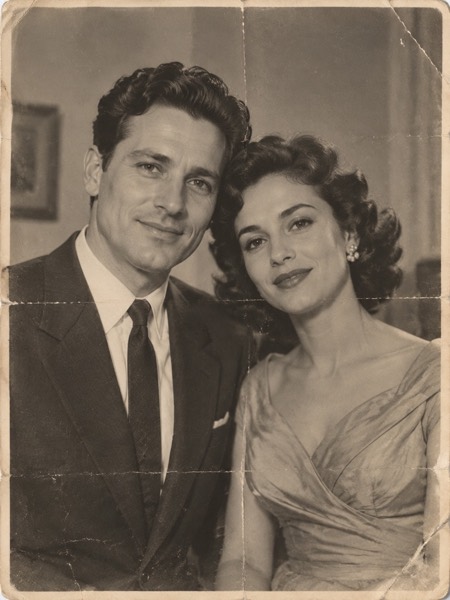
- Pick a motion: animate (blink, smile, head turn), old photo, dance, hug, pet, or write your own prompt.
- Press Make my video. Most videos are ready in 40–90 seconds.
- Download the MP4. Nothing to sign; the free video is tied to this browser.
This page is the free-terms checklist. Which motion suits a portrait, a product or a landscape is covered on the Image to video page (moveframe.app/image-to-video).
Free, unlimited, no watermark: what each claim usually means
| Claim you see | What often happens | MoveFrame |
|---|---|---|
| "Free" | Free credits only after you create an account | First video free with no account |
| "No sign-up" | Start without an account, sign up to download | Download straight away |
| "No watermark" | Watermark removed only on paid plans | No watermark on your free video |
| "Unlimited" | Slow queue, tiny resolution or a daily cap in the small print | Not unlimited — exact amount above |
| "Without subscription" | Monthly plan is the only way to get more | Pay once from a small pack, or not at all |
Want an AI video from scratch rather than from an image? See the AI video generator with no sign-up (moveframe.app/ai-video-generator-no-sign-up). Comparing tools? The free image to video buyer's guide (moveframe.app/best-free-image-to-video-ai) lists what to check.
When the free video is used
You will see it right in the tool: in regions with a daily free video there is a countdown to the next one. If you don't want to wait, the smallest one-time pack covers a few videos with no subscription, and Pro adds HD and 10-second videos. Nothing renews unless you choose Pro.
Sizes, lengths and quality
| Setting | Free | With credits |
|---|---|---|
| Length | 5 seconds | 5 or 10 seconds |
| Shape | 9:16, 16:9 or 1:1 | 9:16, 16:9 or 1:1 |
| Quality | Standard 480p | Standard, HD 720p or Max 720p (premium model) |
| Watermark | None on your free video | None |
| Cost | 5 credits (your free video covers it) | 5–40 credits |
Every video downloads as an H.264 MP4 that plays on iPhone, Android, TikTok, Instagram Reels, YouTube Shorts and WhatsApp.
What it costs
The tool is at the top of this page: upload a photo and your first video is free, no account and no card. Here is what you pay if you want more.
| Price | What you get | |
|---|---|---|
| Free | $0 | Your first video: Standard quality, 5 seconds, no watermark. In many regions you also get one free video a day, depending on how busy we are. |
| Pro | $9.90/month | 120 credits a month (about 24 videos), no watermark, HD and 10-second videos, cancel any time |
| Pro, yearly | $82.90/year | $6.91/month, you save $35.90; the 120 credits still arrive every month |
| Max | $29.90/month | 400 credits a month (about 80 videos); same features as Pro, more credits |
| Credit pack | From $9.90 once | 100 credits, valid 12 months, no subscription |
Failed or blocked videos are refunded automatically, and any payment can be refunded within 7 days.
What MoveFrame will not make
Every photo is checked before anything is generated. If a check fails, nothing is charged.
- No nudity or sexual content, and no "uncensored" mode.
- Family photos with little ones are fine on everyday templates; couple, wedding and baby-prediction templates are adults-only, and nothing suggestive is ever made with anyone under 18.
- No celebrities, politicians or other public figures, and no face swap.
- Hug, kiss and baby templates ask you to confirm that both adults in the photos agree.
- Your free video has no watermark, and every video is labelled as AI-generated in its file data.
- See something wrong? Every video page has a Report link. We take reported videos down and answer within 48 hours.
Frequently asked questions
Is it really free with no sign-up?
Yes. Upload an image above and press Make my video. Your first video is free — 5 seconds, Standard 480p, no watermark — with no account, no email and no card. In many regions you also get one free 4-second video a day. More videos need credits: one-time packs start at $9.90.
How many free videos do I get per day?
Your first video is free everywhere. In many regions you also get one free video a day (4 seconds), which resets at midnight UTC and depends on how busy we are. In some countries the free video is a one-time welcome video rather than a daily one.
Is there a watermark on the free video?
No. Your free video has no watermark. Extra free videos from streak bonuses carry a small corner mark; videos made with credits never do.
Can I use the video commercially?
Yes. Videos you make can be used for personal and commercial purposes under our terms, as long as you have the right to use the image — for example your own photo, your product, or art you made.
Is it unlimited?
No, and we would rather say so. AI video costs real money for every second. You get the free amount in the checklist above; after that, a small one-time pack or Pro keeps you going.
What if my free video is used up?
The tool shows when the next free video arrives in regions with a daily free video. You can wait, or buy the smallest one-time pack — no subscription. Failed videos are always refunded automatically.
What happens to my photos?
Photos are stored privately, used only to make your video, and deleted after 24 hours. Videos are kept for 30 days so you can download them, then deleted. They are private unless you share the link or enter the daily challenge. We never use your photos to train AI models.