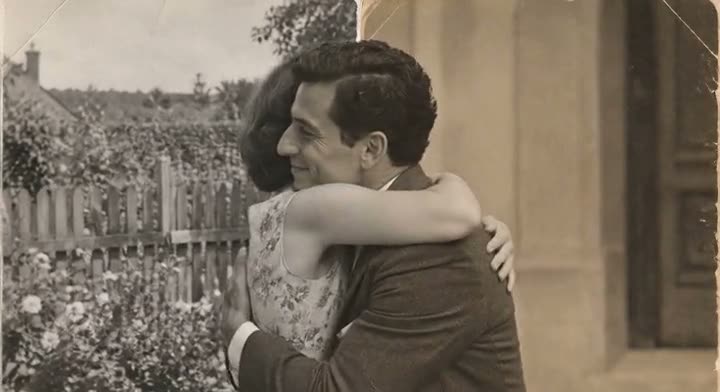




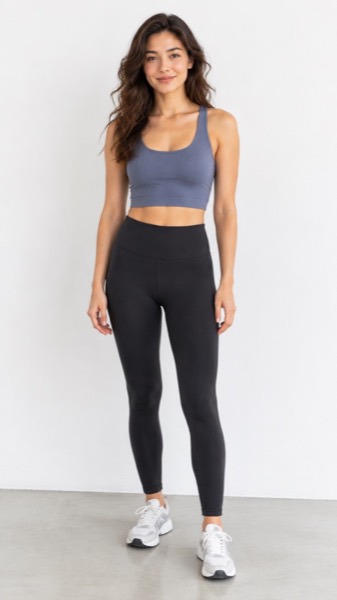

How to make a hug video with someone who has died
- Select Hug.
- Upload a photo of the first adult, then the second. Upper-body photos facing the camera work best, and similar settings (both indoors or both outdoors) blend most naturally.
- Tick the consent box. For someone who has died, that means you are family or have the family's blessing.
- Press Make my video, then download the MP4 to keep.
At a glance
| MoveFrame | |
|---|---|
| What you get | A 5-second video of two people turning to each other and sharing a friendly hug |
| What you upload | Two photos, one of each adult |
| Account, email or card for the first video | None |
| Free video | 5 seconds, Standard 480p, small corner watermark |
| Ready in | About a minute |
| Paid videos | HD 720p, 5 or 10 seconds, no watermark — from $9.90 once, or Pro $9.90/month |
| Your photo | Stored privately, deleted after 24 hours, never used to train AI |
Photos that make the best hug
| Works | Doesn't work |
|---|---|
| Each person alone, waist up, facing the camera | Group photos or faces turned away |
| Clear faces, even light | Tiny, blurry or heavily filtered faces |
| An old print scanned flat | A photo of a photo at an angle, with glare |
| Both people as adults | Anyone as a child — these are rejected |
An old photo and a new one can go together: the model blends them into one scene. If faces drift, try photos where both people are a similar size in the frame.
Making it with care
- Movement is small on purpose: a blink, a breath, a smile, a slight turn. It should feel like a memory, not a performance.
- Ask close family before you share a video of someone who has died — for some people it is comforting, for others it is too much.
- Only adults: photos where the person is a child are rejected, even old ones.
- No speech or lip-sync, and no putting words in anyone's mouth. Videos are silent; add music or a voice note yourself if you want.
- Keep the MP4. Videos stay in your account for 30 days, then are deleted, so download the ones that matter.
What it costs
The tool is at the top of this page: upload a photo and your first video is free, no account and no card. Here is what you pay if you want more.
| Price | What you get | |
|---|---|---|
| Free | $0 | Your first video: Standard quality, 5 seconds, small watermark. More free daily credits depend on your region and how busy we are. |
| Pro | $9.90/month | 120 credits a month (about 24 videos), no watermark, HD and 10-second videos, cancel any time |
| Pro, yearly | $82.90/year | $6.91/month, you save $35.90; the 120 credits still arrive every month |
| Max | $29.90/month | 400 credits a month (about 80 videos); same features as Pro, more credits |
| Credit pack | From $9.90 once | 100 credits, valid 12 months, no subscription |
Failed or blocked videos are refunded automatically, and any payment can be refunded within 7 days.
What MoveFrame will not make
Every photo is checked before anything is generated. If a check fails, nothing is charged.
- No nudity or sexual content, and no "uncensored" mode.
- No videos of children from uploaded photos. The baby template invents a fictional baby; it never animates a real child's photo.
- No celebrities, politicians or other public figures, and no face swap.
- Hug and baby templates ask you to confirm that both adults in the photos agree.
- Free videos carry a small watermark, and every video is labelled as AI-generated in its file data.
- See something wrong? Every video page has a Report link. We take reported videos down and answer within 48 hours.
Frequently asked questions
Is it really free?
Your first video is free, with no account and no card: Standard quality, 5 seconds, small watermark. After that, free daily credits (5 a day where available) depend on your region and how busy we are. To keep going, Pro is $9.90/month for 120 credits (about 24 videos), or a credit pack starts at $9.90 with no subscription.
Is it allowed to make a hug with someone who has died?
Yes, if you are family or have the family's blessing. The hug is always friendly — no kissing or anything intimate — and both people must be adults in the photos.
The faces don't look right. What can I do?
Use clear, front-facing photos where each face is well lit and not too small, and crop each photo to one person. Choose HD for more detail. Credits for failed videos come back automatically, and any payment can be refunded within 7 days.
Can I add music or a message?
Videos are silent so you can add a song or a voice note in your phone's editor, CapCut or WhatsApp.
How much does it cost?
Pro is $9.90/month for 120 credits, or $82.90/year ($6.91/month). Max is $29.90/month for 400 credits. Credit packs start at $9.90, once. Paid videos have no watermark, and any payment is refundable within 7 days.
How long does it take?
Most 5-second videos are ready in 40–90 seconds. 10-second and Max quality videos can take up to 3 minutes. You can keep using the page while it works.