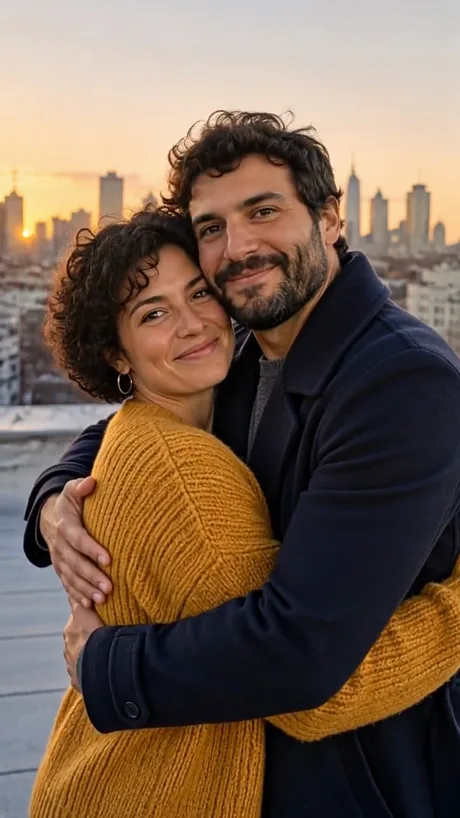
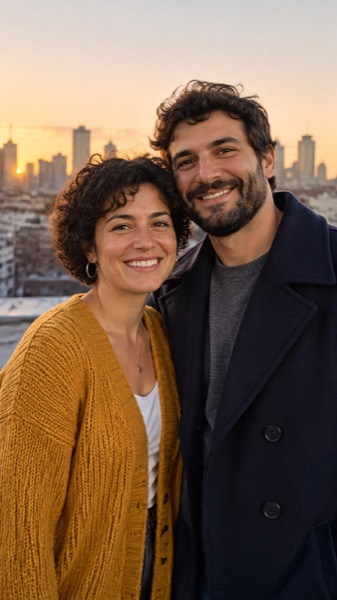
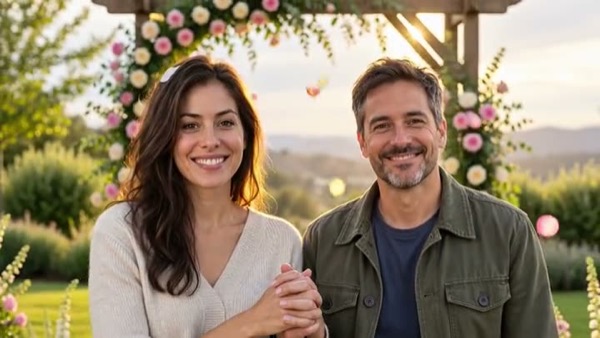
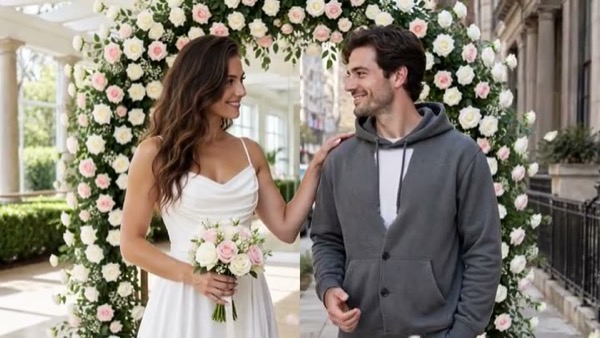
How to make the my moon my man AI video
- Pick one photo with both of you in it, waist-up or full body, faces clear and facing the camera.
- Upload it, keep My Moon My Man and 9:16 selected, and tick the box confirming you both agree to the video.
- Press Make my video. In about a minute you get the smile → hug → sway → look-back clip.
- Download the MP4, open TikTok or Reels, tap Add sound and pick the my moon my man trend sound.
What is the my moon my man trend?
It is a couples soft-launch format on TikTok and Reels: a short, tender clip where two people smile at the camera, hug, sway and glance back — the way you quietly show the internet who you are with. The sound is a song by Feist; template sites say a cover posted in late October 2026 kicked off the couples trend in early November (we could not confirm the dates independently). The AI version skips the filming: one photo becomes the whole moment.
| Also searched as | Same thing? |
|---|---|
| my moon my man ai / my moon my man ai trend | Yes — the video this page makes |
| my moon my man trend / my moon my man soft launch | Yes — the trend itself, from your photo |
| my moon my man ai video generator | Yes — this tool, one photo in, MP4 out |
The four beats MoveFrame animates
| Beat | What happens |
|---|---|
| 1. Smile | Both of you smile at the camera |
| 2. Hug | You turn toward each other and share a warm hug |
| 3. Sway | A slow side-to-side sway in each other's arms |
| 4. Look back | Both glance back over your shoulders with a soft smile |
Hugs only — MoveFrame does not make kissing scenes. Free clips are 5 seconds, so the beats are quick; HD and 10-second clips (Pro) give each beat more room.
Photos that work best
| Works | Doesn't work |
|---|---|
| Both of you in one photo, faces visible | Two separate selfies (use the Hug template for that) |
| Waist-up or full body, standing close | Tight face-only crop |
| Even daylight, simple background | Dark, blurry or heavily filtered photos |
| Two consenting adults | Children, celebrities or anyone who did not agree |
Only have two solo photos? Switch the motion to Hug above: it puts two separate portraits into one scene and hugs them.
MoveFrame vs other my moon my man AI tools
Checked on 17 November 2026 from each tool's public page. Features change — check before you pay.
| MoveFrame | aimakevideo.com | makeviral.ai | |
|---|---|---|---|
| Price to try | First video free, no sign-up, no card | 395 credits a video; packs from $9.90 / 900 credits | Credits; $9.99 / 100 credits |
| Free version | Full 5-second video, no watermark | 4-second preview for 10 credits; full video costs credits | Sign-in for free credits |
| Input | One couple photo | One couple photo or two solo photos | Mostly a painting-style photo edit |
| Motion | Smile, hug, sway, look back (no kiss) | Smile, hug, sway, kiss, look back | Photo slideshow; video costs extra |
| Sound | Silent — add the trend sound in the app | Optional trend sound | Varies |
| Real output clips on the page | Yes, 3 unedited clips with their input photo | Preview clips | Preview images |
MoveFrame is independent and not affiliated with TikTok, Feist, FINNEAS or the tools above. No songs, celebrity faces or third-party footage are used — only your photo.
Sizes, lengths and quality
| Setting | Free | With credits |
|---|---|---|
| Length | 5 seconds | 5 or 10 seconds |
| Shape | 9:16, 16:9 or 1:1 | 9:16, 16:9 or 1:1 |
| Quality | Standard 480p | Standard, HD 720p or Max 720p (premium model) |
| Watermark | None on your free video | None |
| Cost | 5 credits (your free video covers it) | 5–40 credits |
Every video downloads as an H.264 MP4 that plays on iPhone, Android, TikTok, Instagram Reels, YouTube Shorts and WhatsApp.
What MoveFrame will not make
Every photo is checked before anything is generated. If a check fails, nothing is charged.
- No nudity or sexual content, and no "uncensored" mode.
- Family photos with little ones are fine on everyday templates; couple, wedding and baby-prediction templates are adults-only, and nothing suggestive is ever made with anyone under 18.
- No celebrities, politicians or other public figures, and no face swap.
- Hug, kiss and baby templates ask you to confirm that both adults in the photos agree.
- Your free video has no watermark, and every video is labelled as AI-generated in its file data.
- See something wrong? Every video page has a Report link. We take reported videos down and answer within 48 hours.
Frequently asked questions
Is it really free?
Your first video is free — no sign-up, no card, no watermark (Standard quality, up to 5 seconds). In many regions you also get one free video a day. Credit packs start at $9.90 for 100 credits (valid 12 months, no subscription); Pro is $9.90/month for 120 credits.
Is there a free my moon my man AI video generator?
Yes. On MoveFrame your first my moon my man video is free with no sign-up: upload one couple photo, keep My Moon My Man selected and press Make my video.
How do I do the my moon my man soft launch with AI?
Upload one photo of the two of you, make the video, then post it with the trend sound. The smile → hug → look-back beats are what make it a soft launch; you can keep faces half-turned if you want to stay mysterious.
Does the video include the my moon my man song?
No. The clip is silent motion. Add the sound inside TikTok or Instagram when you post — the app licenses it for you.
Can I use two separate photos?
This motion needs one photo with both of you. With two solo portraits, pick Hug above: it combines both photos into one scene. Both adults must agree.
Is there a kiss at the end?
No. MoveFrame keeps the trend to a warm hug and a look back. We do not make kissing videos.
Can I use a photo of a celebrity couple?
No. Public figures and photos of people who did not agree are rejected. Use your own photo.
How long does it take?
Most 5-second videos are ready in 40–90 seconds. 10-second and Max quality videos can take up to 3 minutes. You can keep using the page while it works.
What if the video fails or my photo is rejected?
Credits come back automatically. A photo that fails the safety check is rejected before any credit is spent, and a video that fails during generation is refunded in full.