How to make a Elf dance video from a photo
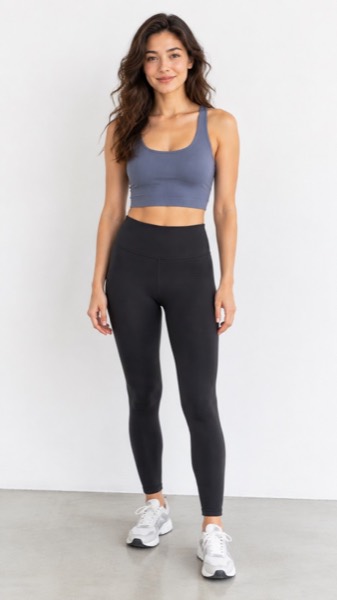
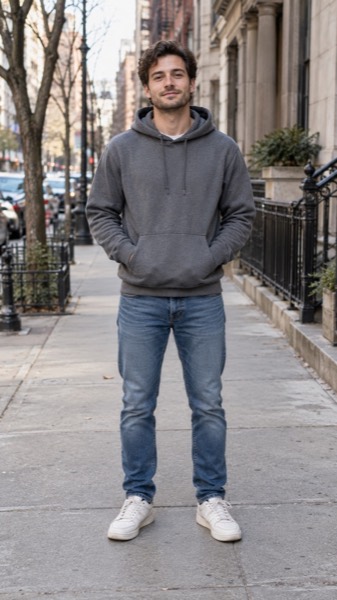
- Upload a clear photo (JPG, PNG or WebP). A face or body that fills a good part of the frame works best.
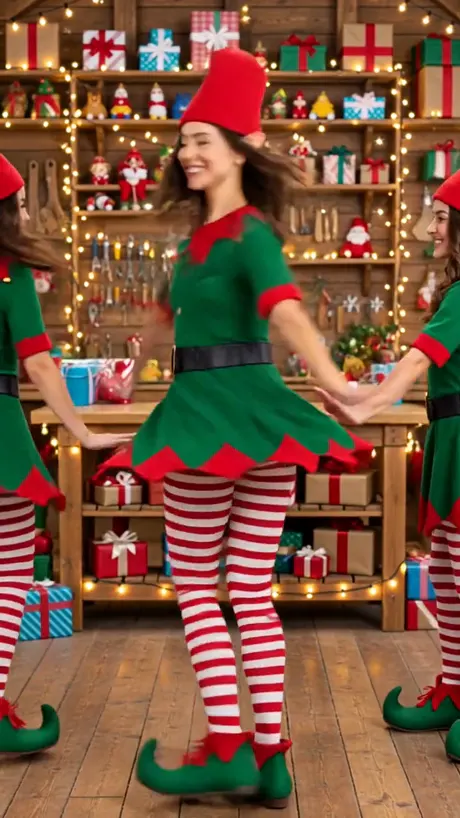
- Pick the Elf dance motion — it adds the elf outfit, hat, stockings and workshop for you, and the shape: 9:16 for TikTok and Reels, 16:9 for YouTube, 1:1 for feeds.
- Tick the box confirming you have the right to use the photo, then press Make my video.
- Wait about a minute. Play it, download the MP4, or share a link.
Elf yourself AI vs the classic face cut-out
The classic Elf Yourself puts a cut-out of your face on a cartoon elf body. MoveFrame animates the whole photo instead: your real body moves, your clothes become an elf costume and the scene turns into Santa's workshop, so the dancing elf video from your photo looks like you, not a sticker.
- Faces, hair, skin tone and build are kept from your photo.
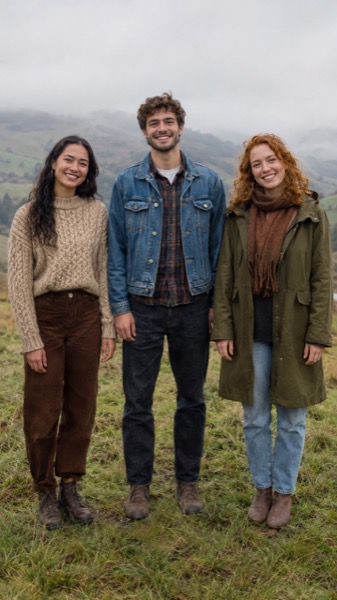
- Groups of two or three dance together — good for couples, siblings and office teams.
- No face cropping or lining up: one ordinary photo is enough.
Photos that work best
| Works | Doesn't work |
|---|---|
| 1–3 adults, full body or knees up | Big crowds — faces get too small |
| Standing, arms visible | Sitting at a table, arms hidden |
| Clear, well-lit phone photo | Screenshots of screenshots, heavy filters |
Photos of children are not accepted on people presets. Ask everyone in the photo before you make the video.
MoveFrame vs other elf yourself tools
Checked on 17 November 2026 from each tool's public page. Features change — check before you buy.
| MoveFrame | ElfYourself | Clipfly elf page | Fotor | |
|---|---|---|---|---|
| Uses your whole photo, not only your face | Yes | No — face on a cartoon body | Yes | Yes |
| Make one without an account | Yes — first video free | Yes for some dances | Sign-in needed | Sign-in needed |
| How you pay | $9.90 credit pack once, or Pro $9.90/month | Many dances are paid | Subscription with a 3-day trial | Subscription |
| Watermark on the free result | No | Branded player | See their page | Free exports may be watermarked |
MoveFrame is independent and not affiliated with ElfYourself, JibJab, Clipfly or Fotor. Their names are trademarks of their owners.
Ideas
- An elf yourself alternative for the office party: one team photo, one dancing elf video in the group chat.
- A Christmas card that moves: send the MP4 instead of a photo.
- Couples: make one elf video, then one Santa video from the same photo and join them.
Sizes, lengths and quality
| Setting | Free | With credits |
|---|---|---|
| Length | 5 seconds | 5 or 10 seconds |
| Shape | 9:16, 16:9 or 1:1 | 9:16, 16:9 or 1:1 |
| Quality | Standard 480p | Standard, HD 720p or Max 720p (premium model) |
| Watermark | None on your free video | None |
| Cost | 5 credits (your free video covers it) | 5–40 credits |
Every video downloads as an H.264 MP4 that plays on iPhone, Android, TikTok, Instagram Reels, YouTube Shorts and WhatsApp.
What MoveFrame will not make
Every photo is checked before anything is generated. If a check fails, nothing is charged.
- No nudity or sexual content, and no "uncensored" mode.
- Family photos with little ones are fine on everyday templates; couple, wedding and baby-prediction templates are adults-only, and nothing suggestive is ever made with anyone under 18.
- No celebrities, politicians or other public figures, and no face swap.
- Hug, kiss and baby templates ask you to confirm that both adults in the photos agree.
- Your free video has no watermark, and every video is labelled as AI-generated in its file data.
- See something wrong? Every video page has a Report link. We take reported videos down and answer within 48 hours.
Frequently asked questions
Is it really free?
Your first video is free — no sign-up, no card, no watermark (Standard quality, up to 5 seconds). In many regions you also get one free video a day. Credit packs start at $9.90 for 100 credits (valid 12 months, no subscription); Pro is $9.90/month for 120 credits.
Is this the same as Elf Yourself?
No. ElfYourself is a separate product that puts your face on a cartoon elf. MoveFrame is an elf yourself alternative that animates your actual photo, so the dancing elf keeps your real body, hair and face.
Can I make an elf yourself AI video with friends or family?
Yes. Upload one photo with up to three adults and they dance together in elf outfits. For more people, make several videos and join them.
Is there music?
The video is silent so you can add any song in TikTok, Reels or CapCut — most people add their favourite Christmas track.
How long does it take?
Most 5-second videos are ready in 40–90 seconds. 10-second and Max quality videos can take up to 3 minutes. You can keep using the page while it works.
What if the video fails or my photo is rejected?
Credits come back automatically. A photo that fails the safety check is rejected before any credit is spent, and a video that fails during generation is refunded in full.