

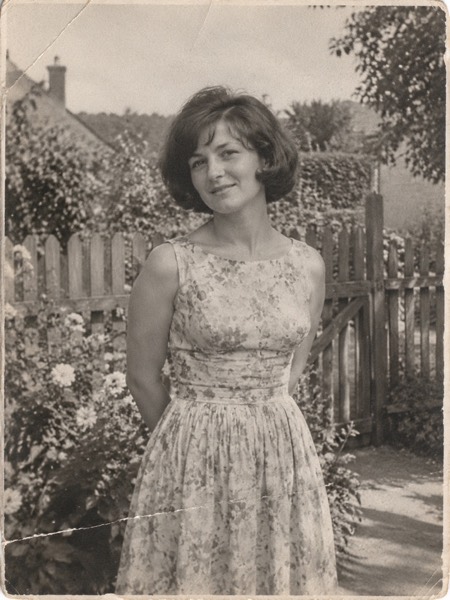
How to make a family album video
- Pick 5–10 photos: grandparents, the kids, a wedding, the pet — one face or one couple per photo works best.
- Upload each photo above and press Make my video (Animate photo keeps faces the same; Birthday, Smile and Old photo work well too).
- Under the tool, tick the videos you want in the order you want them, pick Thanksgiving, Christmas or Family, and add a title.
- Press Make my movie, keep the tab open while it records, then share it with the family or download it.
At a glance
| MoveFrame | |
|---|---|
| What you get | One video per family photo, joined into one movie with a title card and music |
| What you upload | 5–10 family photos, one at a time or 3 at once |
| Account, email or card for the first video | None |
| Free video | 5 seconds, Standard 480p, small corner watermark |
| Ready in | About a minute |
| Paid videos | HD 720p, 5 or 10 seconds, no watermark — from $9.90 once, or Pro $9.90/month |
| Your photo | Stored privately, deleted after 24 hours, never used to train AI |
What it costs for a whole album
| Album | Videos you make | What it costs |
|---|---|---|
| Try it | 1 video | Free — your first video, no account |
| Small album | 5 HD videos | 40 credits — a $9.90 pack (100 credits) leaves plenty over |
| Full album | 10 HD videos | 80 credits — the same $9.90 pack, valid 12 months |
| The movie | Joins 2–10 of your videos | Free — made on your device, nothing uploaded |
Videos that fail are refunded automatically, and any payment can be refunded within 7 days.
Ideas for the holidays
- Thanksgiving: the grandparents' wedding photo, each grandchild, last year's dinner table — open the movie with "Happy Thanksgiving".
- Christmas: old Christmas-morning photos brought back to life, ending on this year's family photo.
- A reunion or a birthday: one photo from every decade of someone's life, in order.
- Someone you miss: a gentle movie of their photos to share with the family on the day.
What MoveFrame will not make
Every photo is checked before anything is generated. If a check fails, nothing is charged.
- No nudity or sexual content, and no "uncensored" mode.
- No videos of children from uploaded photos. The baby template invents a fictional baby; it never animates a real child's photo.
- No celebrities, politicians or other public figures, and no face swap.
- Hug and baby templates ask you to confirm that both adults in the photos agree.
- Free videos carry a small watermark, and every video is labelled as AI-generated in its file data.
- See something wrong? Every video page has a Report link. We take reported videos down and answer within 48 hours.
Frequently asked questions
Is it really free?
Your first video is free, with no account and no card: Standard quality, 5 seconds, small watermark. After that, free daily credits (5 a day where available) depend on your region and how busy we are. To keep going, Pro is $9.90/month for 120 credits (about 24 videos), or a credit pack starts at $9.90 with no subscription.
Does the movie have music?
Yes — each theme has its own gentle music made on your device, so there's no copyrighted track to get the video muted on Instagram or TikTok.
How many photos can go in one movie?
Up to 10 videos, each up to 6 seconds, plus a title card and an ending — about a minute in all.
Do I have to make all the videos in one go?
No. Your videos stay in your account for 30 days, so you can add photos over a few days and make the movie when you're ready.
How long does it take?
Most 5-second videos are ready in 40–90 seconds. 10-second and Max quality videos can take up to 3 minutes. You can keep using the page while it works.
What happens to my photos?
Photos are stored privately, used only to make your video, and deleted after 24 hours. Videos are kept for 30 days so you can download them, then deleted. They are private unless you share the link or enter the daily challenge. We never use your photos to train AI models.