

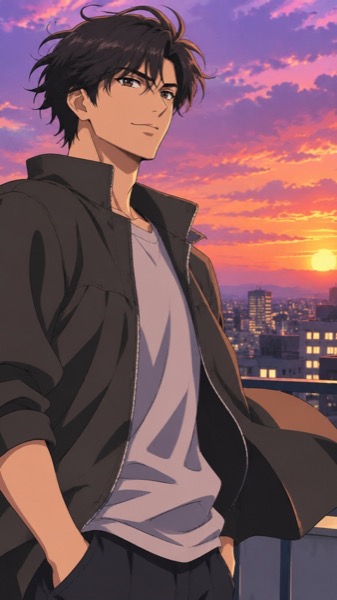
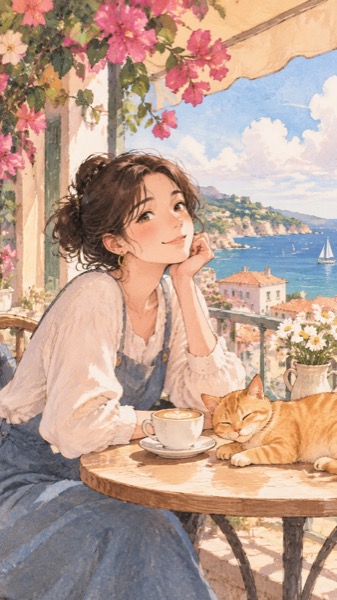
How to make a Anime motion video from a photo
- Upload a clear photo (JPG, PNG or WebP). A face or body that fills a good part of the frame works best.
- Pick the Anime motion motion — blinks, wind in the hair, drifting petals, and the shape: 9:16 for TikTok and Reels, 16:9 for YouTube, 1:1 for feeds.
- Tick the box confirming you have the right to use the photo, then press Make my video.
- Wait about a minute. Play it, download the MP4, or share a link.
Why anime art often breaks in AI video — and how this keeps it 2D
General image-to-video models are trained mostly on real footage, so an anime picture tends to drift: the face turns semi-realistic, the shading goes 3D and glossy, or the eyes change shape by the last second. The Anime motion template tells the model to keep the exact character design, line art, cel shading and background painting, and to move only what an anime scene would move — eyes, breathing, hair, cloth, petals and light.
- Best input: one character, face clearly visible, at least 720 px tall.
- Busy fight scenes or many characters spread the motion thin — crop to one or two.
- For a slow camera move instead of character motion, use Cinemagraph or the zoom page.
- Want more action? Type it in the box: "she turns and waves", "rain starts falling", "he looks up at the sky".
What to check in an anime video generator
| What matters | MoveFrame |
|---|---|
| Try it without an account | Yes — first video free, no sign-up, no card |
| Watermark on the download | None, including the free video |
| Keeps the 2D anime style | The prompt locks line art, cel shading and colours; no 3D or photo look |
| Works with AI anime art | Yes — art from Midjourney, Niji, Stable Diffusion, ChatGPT or your own drawing |
| Shapes | 9:16 for TikTok and Reels, 16:9 for YouTube, 1:1 for feeds |
| Paid option | $9.90 once, valid 12 months — no subscription |
Many anime video tools ask for an account before the first clip and spend credits on every try. Here the first clip is free with no account, and failed videos refund their credits automatically.
Good uses
- A moving profile picture or banner from your OC (original character).
- A TikTok or Reels edit from your own anime illustrations.
- Bringing a webtoon or manga panel you drew to life for a teaser.
- Turning AI anime art into a short loop for a music post or a stream overlay.
Use art you drew, AI art you made, or art you have permission to use. Characters must be adults, and nothing sexual is made — every photo and finished clip is checked.
Sizes, lengths and quality
| Setting | Free | With credits |
|---|---|---|
| Length | 5 seconds | 5 or 10 seconds |
| Shape | 9:16, 16:9 or 1:1 | 9:16, 16:9 or 1:1 |
| Quality | Standard 480p | Standard, HD 720p or Max 720p (premium model) |
| Watermark | None on your free video | None |
| Cost | 5 credits (your free video covers it) | 5–40 credits |
Every video downloads as an H.264 MP4 that plays on iPhone, Android, TikTok, Instagram Reels, YouTube Shorts and WhatsApp.
What it costs
The tool is at the top of this page: upload a photo and your first video is free, no account and no card. Here is what you pay if you want more.
| Price | What you get | |
|---|---|---|
| Free | $0 | Your first video: Standard quality, 5 seconds, no watermark. In many regions you also get one free video a day, depending on how busy we are. |
| Pro | $9.90/month | 120 credits a month (about 24 videos), no watermark, HD and 10-second videos, cancel any time |
| Pro, yearly | $82.90/year | $6.91/month, you save $35.90; the 120 credits still arrive every month |
| Max | $29.90/month | 400 credits a month (about 80 videos); same features as Pro, more credits |
| Credit pack | From $9.90 once | 100 credits, valid 12 months, no subscription |
Failed or blocked videos are refunded automatically, and any payment can be refunded within 7 days.
What MoveFrame will not make
Every photo is checked before anything is generated. If a check fails, nothing is charged.
- No nudity or sexual content, and no "uncensored" mode.
- Family photos with little ones are fine on everyday templates; couple, wedding and baby-prediction templates are adults-only, and nothing suggestive is ever made with anyone under 18.
- No celebrities, politicians or other public figures, and no face swap.
- Hug, kiss and baby templates ask you to confirm that both adults in the photos agree.
- Your free video has no watermark, and every video is labelled as AI-generated in its file data.
- See something wrong? Every video page has a Report link. We take reported videos down and answer within 48 hours.
Frequently asked questions
Is it really free?
Your first video is free, with no account and no card: Standard quality, 5 seconds, no watermark. In many regions you also get one free video a day, depending on how busy we are. To keep going, Pro is $9.90/month for 120 credits (about 24 videos), or a credit pack starts at $9.90 with no subscription.
Will my anime picture turn 3D or realistic?
It is not supposed to. The Anime motion template keeps the line art, flat cel shading and colours of your picture and only adds anime-style motion. If a clip still drifts, try a larger, cleaner image or Max quality.
Can I animate AI anime art from Midjourney, Niji or ChatGPT?
Yes. Any anime-style image you made or have the right to use works the same as a hand drawing.
Can the character talk or lip-sync?
No. MoveFrame adds natural motion with the mouth closed; it does not make talking or lip-sync videos.
Can I use fan art of a famous anime character?
Animating your own fan art for personal posts is common, but the character still belongs to its owner. For anything commercial, use your own original characters.
How long does it take?
Most 5-second videos are ready in 40–90 seconds. 10-second and Max quality videos can take up to 3 minutes. You can keep using the page while it works.
What if the video fails or my photo is rejected?
Credits come back automatically. A photo that fails the safety check is rejected before any credit is spent, and a video that fails during generation is refunded in full.