How to make a Closing door dash video from a photo
- Upload a clear photo (JPG, PNG or WebP). A face or body that fills a good part of the frame works best.
- Pick the Closing door dash motion — the sprint and the squeeze, and the shape: 9:16 for TikTok and Reels, 16:9 for YouTube, 1:1 for feeds.
- Tick the box confirming you have the right to use the photo, then press Make my video.
- Wait about a minute. Play it, download the MP4, or share a link.
What is the closing door prank trend?
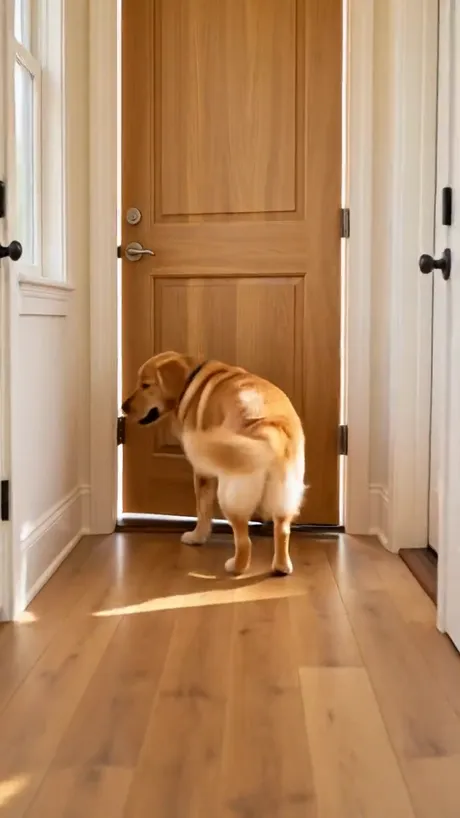
The closing door prank — also called the fake closing door prank or door closing prank — is a TikTok trend where one person calls "1, 2, 3, go!" and starts shutting a door while their partner, child or dog races to get through. The fun is the panic sprint and the last-second squeeze. Filming it for real means someone running at a door; the AI version gets the same clip from a photo, and it's the easiest way to cast your dog.
| Also searched as | Same thing? |
|---|---|
| closing door prank ai / closing door prank | Yes — the trend this page makes |
| door closing prank ai video | Yes — same scene |
| closing door ai trend | Yes — the trend name |
Who can run: people and pets
| Runner | Photo to upload | Tip |
|---|---|---|
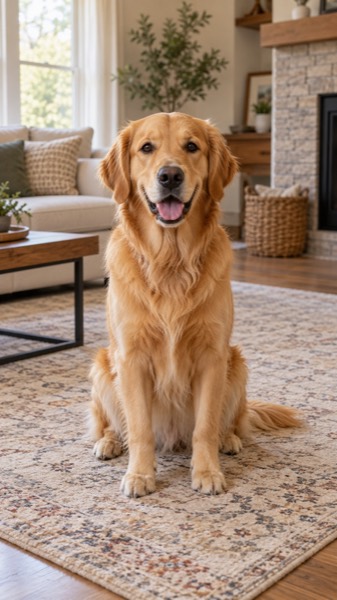
| Your dog | Sitting or standing, whole body | The most shared version — see the first example |
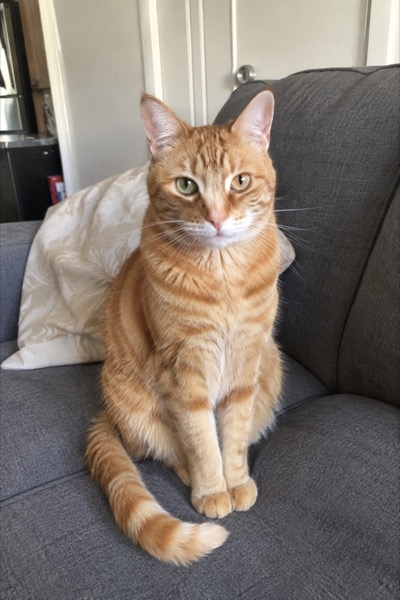
| Your cat | Any clear photo | Cats slip through the narrowest gap |
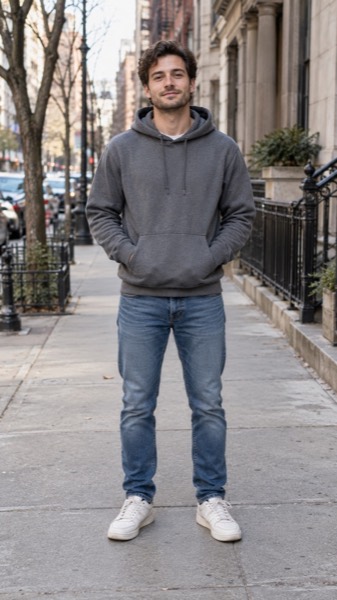
| You or your partner | Full-body photo of one adult | A friend's photo only with their OK |
More pet motions — wag, blink, look around — are on the AI pet video page, linked at the bottom of this page.
MoveFrame vs other closing door prank AI tools
Checked on 10 November 2026 from each tool's public page. Features change — check before you pay.
| MoveFrame | makeviral.ai template | |
|---|---|---|
| Price to try | First video free, no sign-up | 137 credits per clip |
| Wait | About a minute | Up to several minutes |
| Length and sound | 5 seconds, silent — add the countdown when posting | 9 seconds with the countdown audio |
| Real output clips on the page | Yes, 3 unedited clips: dog, cat and person | Preview clip |
| Pets | Dogs and cats | Dogs |
MoveFrame is independent and not affiliated with makeviral.ai. No original footage or audio from the trend is used — only your photo.
Sizes, lengths and quality
| Setting | Free | With credits |
|---|---|---|
| Length | 5 seconds | 5 or 10 seconds |
| Shape | 9:16, 16:9 or 1:1 | 9:16, 16:9 or 1:1 |
| Quality | Standard 480p | Standard, HD 720p or Max 720p (premium model) |
| Watermark | None on your free video | None |
| Cost | 5 credits (your free video covers it) | 5–40 credits |
Every video downloads as an H.264 MP4 that plays on iPhone, Android, TikTok, Instagram Reels, YouTube Shorts and WhatsApp.
What MoveFrame will not make
Every photo is checked before anything is generated. If a check fails, nothing is charged.
- No nudity or sexual content, and no "uncensored" mode.
- Family photos with little ones are fine on everyday templates; couple, wedding and baby-prediction templates are adults-only, and nothing suggestive is ever made with anyone under 18.
- No celebrities, politicians or other public figures, and no face swap.
- Hug, kiss and baby templates ask you to confirm that both adults in the photos agree.
- Your free video has no watermark, and every video is labelled as AI-generated in its file data.
- See something wrong? Every video page has a Report link. We take reported videos down and answer within 48 hours.
Frequently asked questions
Is it really free?
Your first video is free — no sign-up, no card, no watermark (Standard quality, up to 5 seconds). In many regions you also get one free video a day. Credit packs start at $9.90 for 100 credits (valid 12 months, no subscription); Pro is $9.90/month for 120 credits.
How do I make the closing door prank with AI?
Upload one photo of the runner — a person or a pet — keep Closing door dash selected and press Make my video. The 5-second clip is ready in about a minute; the first one is free with no sign-up.
Can I do the closing door prank with my dog?
Yes. Upload a photo of your dog and it sprints for the door and squeezes through. Your real dog stays on the sofa.
Does anyone get hurt in the video?
No. The motion always ends with the runner getting through and looking back happy. Falls and collisions are not generated.
Does it include the "1, 2, 3, go" audio?
No. The clip is silent. Add the countdown sound in TikTok or Reels, or record your own voice over it.
Does it keep my hallway?
The video opens on your photo and then moves to a generated hallway and door. To steer the look, type a note such as "white apartment hallway" in the extra direction box.
How long does it take?
Most 5-second videos are ready in 40–90 seconds. 10-second and Max quality videos can take up to 3 minutes. You can keep using the page while it works.
What if the video fails or my photo is rejected?
Credits come back automatically. A photo that fails the safety check is rejected before any credit is spent, and a video that fails during generation is refunded in full.