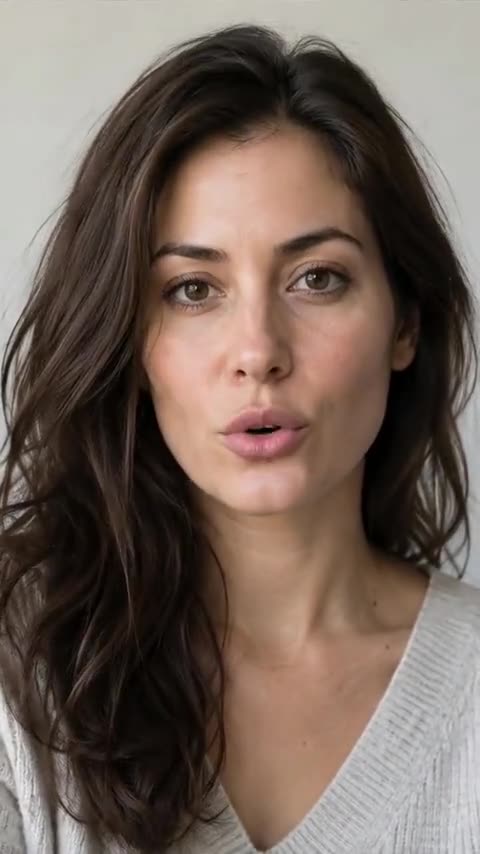
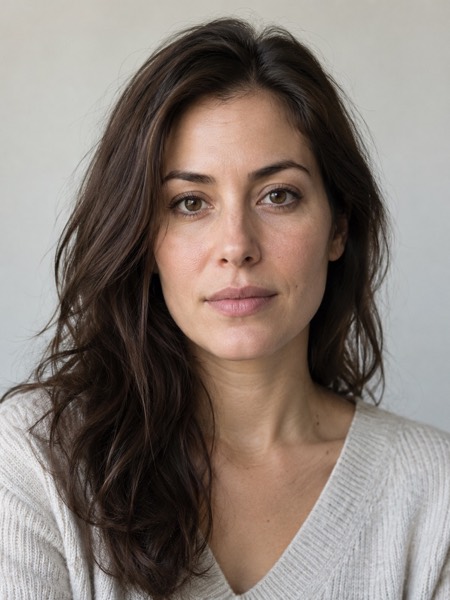


How to make an AI UGC ad from a photo
- Upload one clear photo: face toward the camera, mouth visible, chest up works best. Use yourself, a creator who agreed, or an illustrated mascot.
- Paste your script (up to 450 characters, about 30 seconds). The tool shows the length and credits before you start.
- Pick a voice (12 voices: English, Spanish, French, German, Japanese and two multilingual) and the shape: 9:16 for TikTok and Reels.
- Tick the box confirming you have the right to use this person's photo, then press Make my video. Download the MP4 and add captions or music in your editor.
What an AI UGC ad costs here
Talking ads are charged by length: 3 credits per second of speech. Before you press Make the tool holds credits for the length it estimates from your script; when the video is ready you pay only for the seconds actually spoken and the rest goes straight back. Credits come from one-time packs, valid 12 months, nothing renews.
| Ad length | Credits | With the $9.90 pack | With the $29.90 pack |
|---|---|---|---|
| 10 seconds | 30 | $2.97 | $2.49 |
| 15 seconds | 45 | $4.46 | $3.74 |
| 30 seconds | 90 | $8.91 | $7.48 |
The free first video on MoveFrame covers silent photo animation, not talking ads. If a talking ad fails, its credits come back automatically.
MoveFrame compared with AI UGC subscriptions
| What matters | MoveFrame | Typical AI UGC app |
|---|---|---|
| How you pay | Per video, from one-time packs ($9.90+) | Monthly plan, often $29–$100+ a month |
| Who talks | The person in your photo: you, a creator who agreed, or a mascot | A library of stock AI actors |
| Length | Up to 30 seconds per clip | Varies by plan |
| Voices | 12 voices in 5 languages plus multilingual | Varies |
| Watermark | None | Often on free tiers |
| Commercial use | Allowed for videos you make (see terms) | Usually on paid plans |
Most UGC apps are built for agencies that make dozens of ads a month. If you need three or four ads to test a hook, paying per video costs far less.
Scripts that work
- Open with the hook in the first sentence: "Okay, I did not expect this to work."
- One product, one benefit, one call to action. 12–20 seconds is the sweet spot for TikTok and Reels ads.
- Write how people talk: short sentences, contractions, no slogans.
- Make three versions with different hooks from the same photo and test them as separate ads.
The video shows the person talking; it does not put your product in their hands. For the product itself, make a separate product clip and cut the two together.
Rules for real people and honest ads
- Use your own photo, or a photo of someone who agreed to be in your ad. No celebrities, public figures or people who did not consent.
- Adults only. Photos of children are rejected.
- MoveFrame animates the face in your photo; it never swaps one person's face onto another.
- If an AI-made person recommends your product, label the ad as AI-generated. TikTok and Meta ask for it, and in the US the FTC treats fake testimonials as deceptive.
Frequently asked questions
How much does one AI UGC ad cost?
About $4.46 for a 15-second ad and $8.91 for 30 seconds with the $9.90 pack (3 credits per second); bigger packs bring it down to $3.74 for 15 seconds. No subscription; packs last 12 months.
Is there a free AI UGC ad?
No. Each talking ad costs us real compute, so it needs credits. Your first silent photo-to-video clip on MoveFrame is still free with no sign-up.
Can I use my own face and my own script?
Yes. Upload a selfie, paste what you want to say and pick the voice closest to yours. The lips follow the script, so you can make an ad without filming yourself.
Which languages and voices are there?
12 voices: female and male in English, Spanish, French, German and Japanese, plus two multilingual voices that read other languages.
How long can the video be?
Up to 30 seconds, set by the script (up to 450 characters). A short line makes a short clip, and you pay only for the seconds spoken. Longer ads: make two clips and join them.
Can the person hold my product?
Not in the generated motion. Use a photo where they already hold it, or cut the talking clip together with a product clip from our product photo to video tool.
Can I use the ads commercially?
Yes, for videos you make, as long as you have the right to use the photo and you follow the ad platform's AI disclosure rules.
What if the video fails or my photo is rejected?
Credits come back automatically. A photo that fails the safety check is rejected before any credit is spent, and a video that fails during generation is refunded in full.